Designing a Scalable Flow for Healthcare Providers
August - September 2025
Circle connects healthcare providers with post-acute care agencies. As the platform scaled, migrating individual providers into group accounts became a pain point. The UX for automated provider migration was designed to translate insights into a clear flow, providing users full visibility into their pending and accepted invites.
Problem
Individual providers cannot join physician groups using their existing Circle accounts. This results in:
The creation of additional accounts.
Extra time spent managing multiple profiles and logins.
Goal
Enable providers to join physician groups with their existing accounts. This will:
Reduce data redundancy and improve system efficiency.
Simplify provider workflows.
Impact
Improved Conversion Rate: Achieved a 36% increase in providers joining physician groups within the first month after enabling users to connect with existing accounts rather than creating new ones.
Scalability: The workflow foundation established in this project enabled cross-platform agency invites, connecting My HealthCare and HealthCare Circle users through a unified experience.
Cross–Product Adoption: The Activity Center is now being extended to My HealthCare to deliver a consistent, streamlined experience across the product suite.
Empathize
What are users saying?
The product team had direct conversations with providers and admins to identify pain points:
Providers find it difficult to manage individual and group accounts.
Providers struggle to keep track of email-based invites.
Admins spend more time on manual paperwork when providers aren't part of their group.
Provider and Physician Group Workflow
Understanding each user type and how they collaborate helped paint a clearer picture.
Physician Group Admin
Has full access to create and manage users within their physician group, including visibility into all group documents.
Provider
Has access to and manages their individual Circle user account. Invites staff, accepts post-acute network connections.
Joining a physician group allows providers to hand off administrative tasks such as managing orders and care plans to the group admin, freeing up more time to focus on patient care. However, because Circle identifies providers by their email address and National Provider Identifier (NPI), users can’t join a group with their existing account under the current backend logic.
Before synthesizing these insights into design solutions, we needed to understand how data flowed behind the scenes.
Define
Framing the Provider Migration Experience
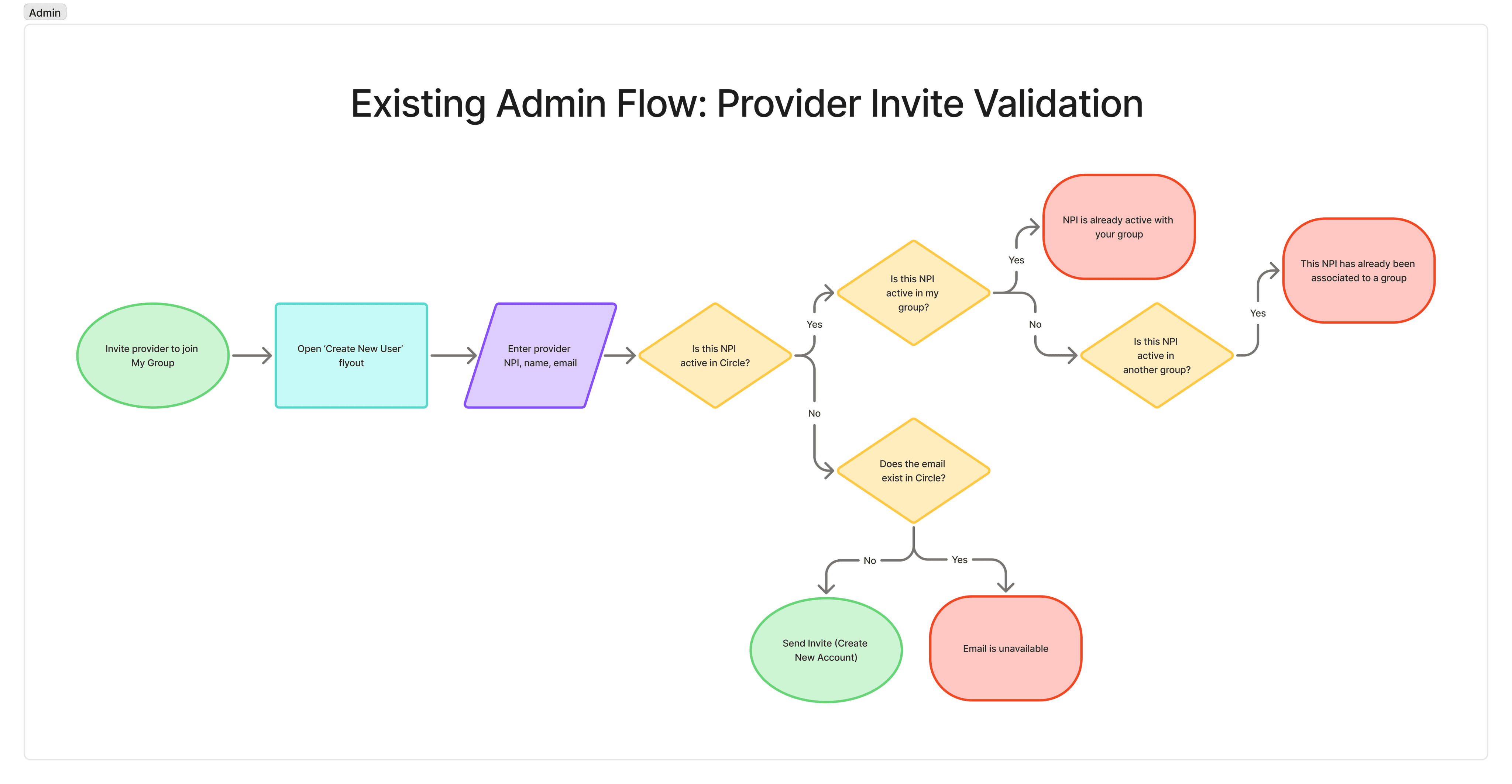
Early conversations with the engineering team helped us map out the existing backend validation logic and how provider migration, moving an existing provider account into a physician group, could be integrated into it. Our goal was to design a simple, intuitive experience that fit seamlessly within the current flow, surfacing only the information users needed at the right moment.
To ensure the experience aligned with both admin and provider needs, we explored key questions such as:

Our main problem was on the provider end, once an invite had been received.
How might we ensure providers seamlessly join a group with full visibility into invites and implications?
Ideate
The Path to a Group Account
Physician Group Admin
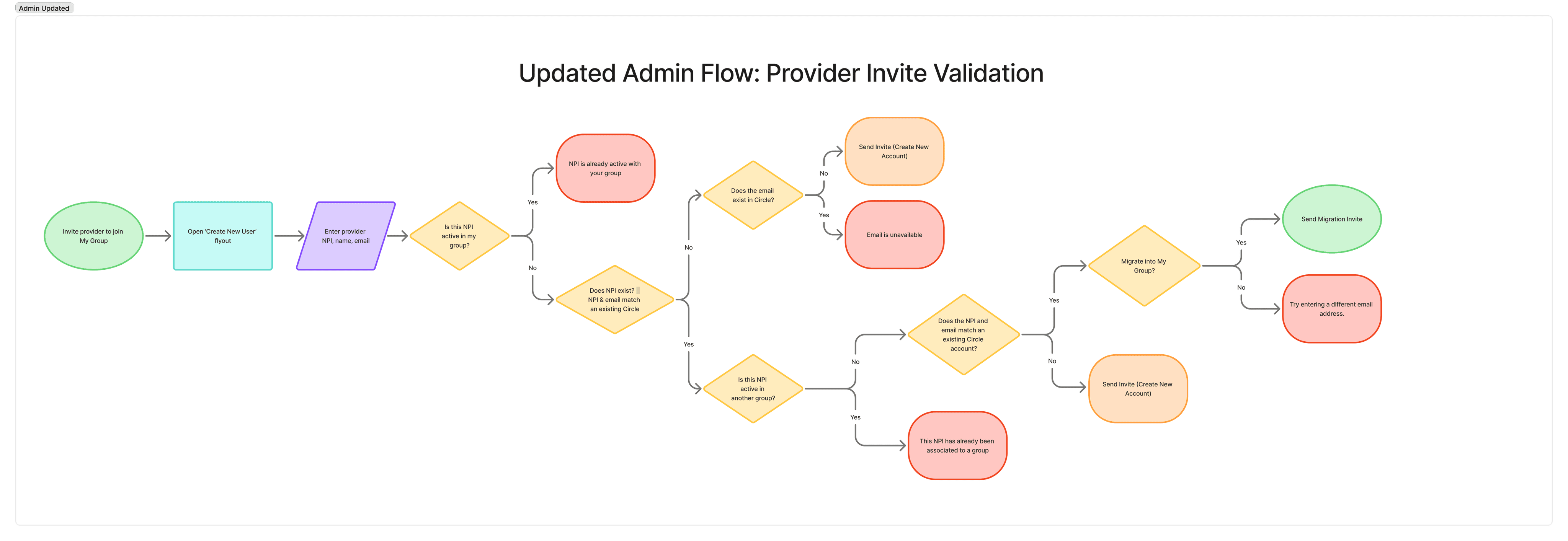
We altered the existing steps of the validation flow, checking for certain conditions earlier, which simplified the process and made it more efficient.
The addition of new steps supported the option of provider migration.
Provider
Once an invite is accepted, the provider is securely logged out and transitioned into their new account, with previous documents removed to meet HIPAA compliance requirements. Users would be allowed to address any outstanding documents before moving forward.
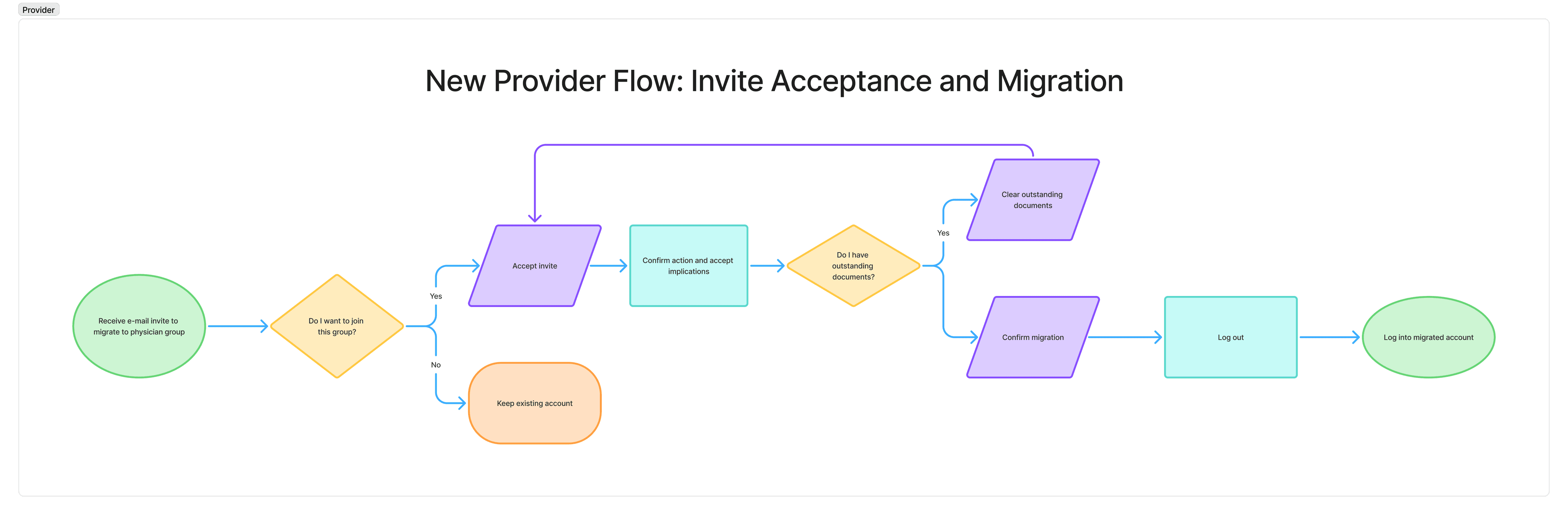
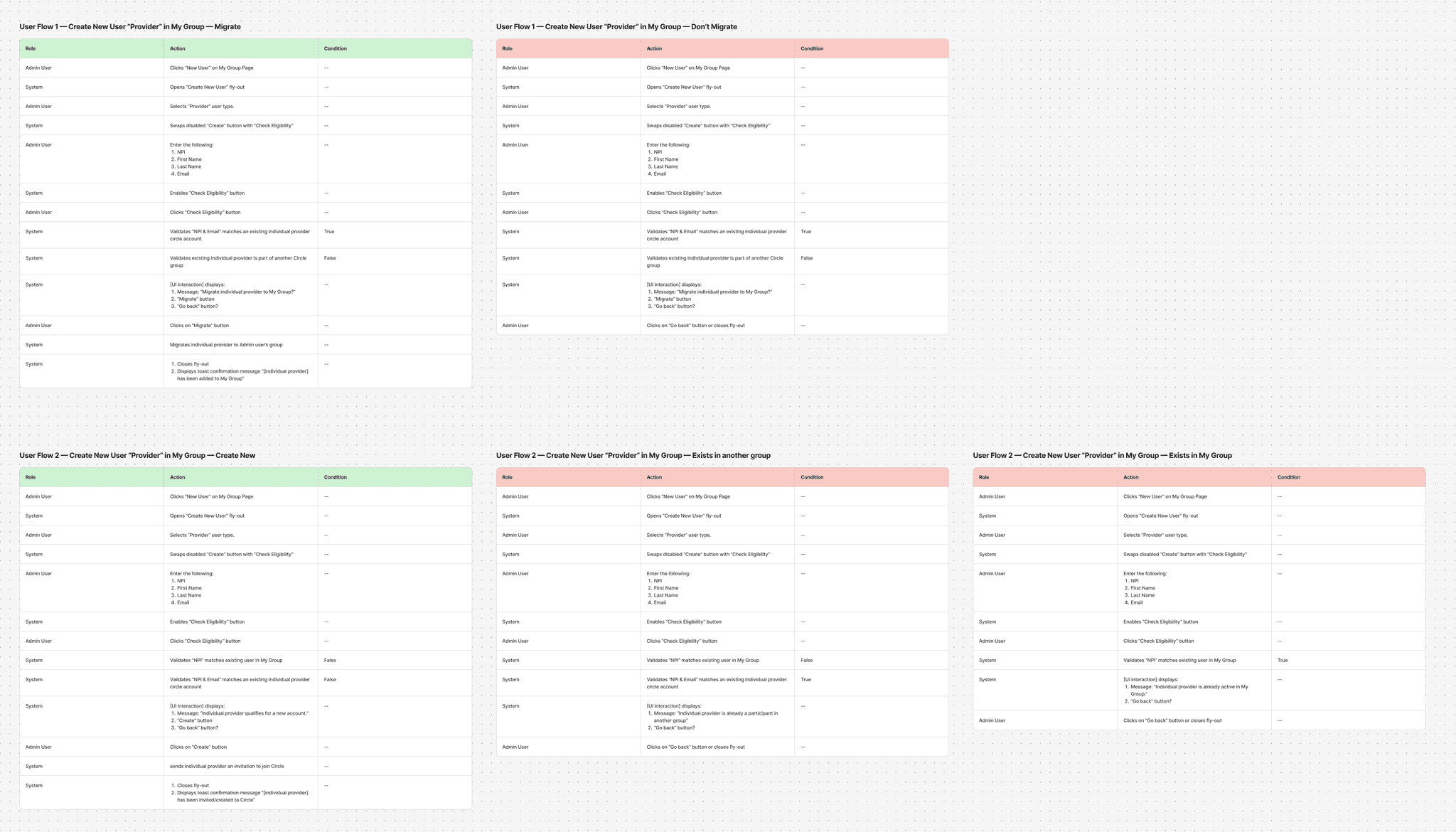
Provider user journey and possible outcomes
Prototype
Admin Flow – Migrating Existing Providers
We iterated on multiple ways to introduce the additional validation step, including a toggle to check eligibility, but found that it added unnecessary noise to the interface. Instead, we integrated the check into the ‘Create’ (Invite user) action. The validation now runs in the backend without disrupting the user flow, triggering a modal only when the user is eligible for migration.
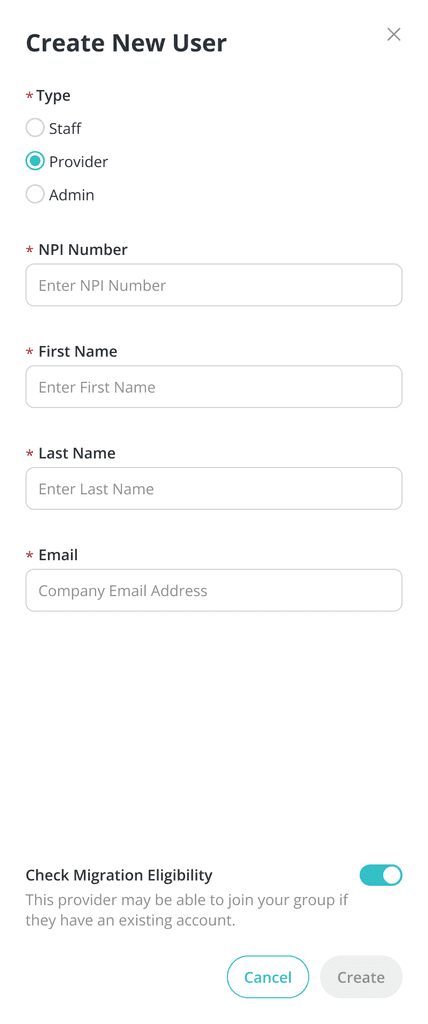
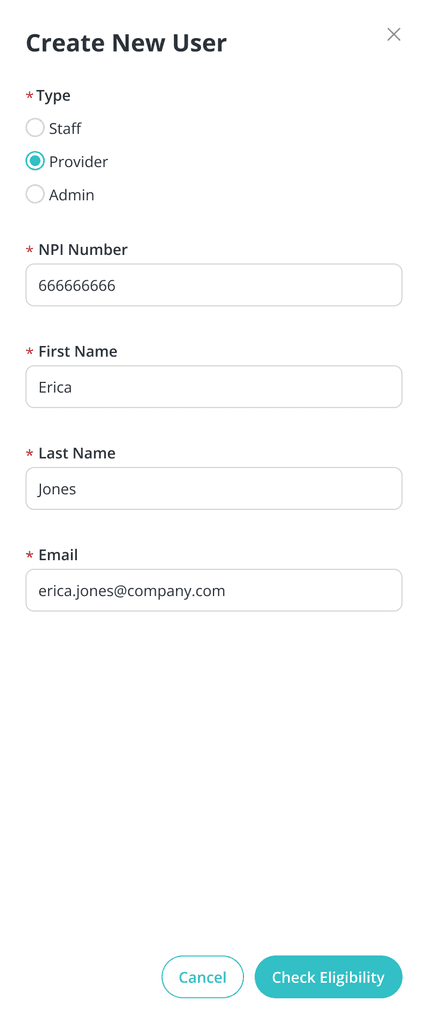
Initial ideas for provider eligibility check
Admin flow prototype
Provider Flow – Accepting Physician Group Invites
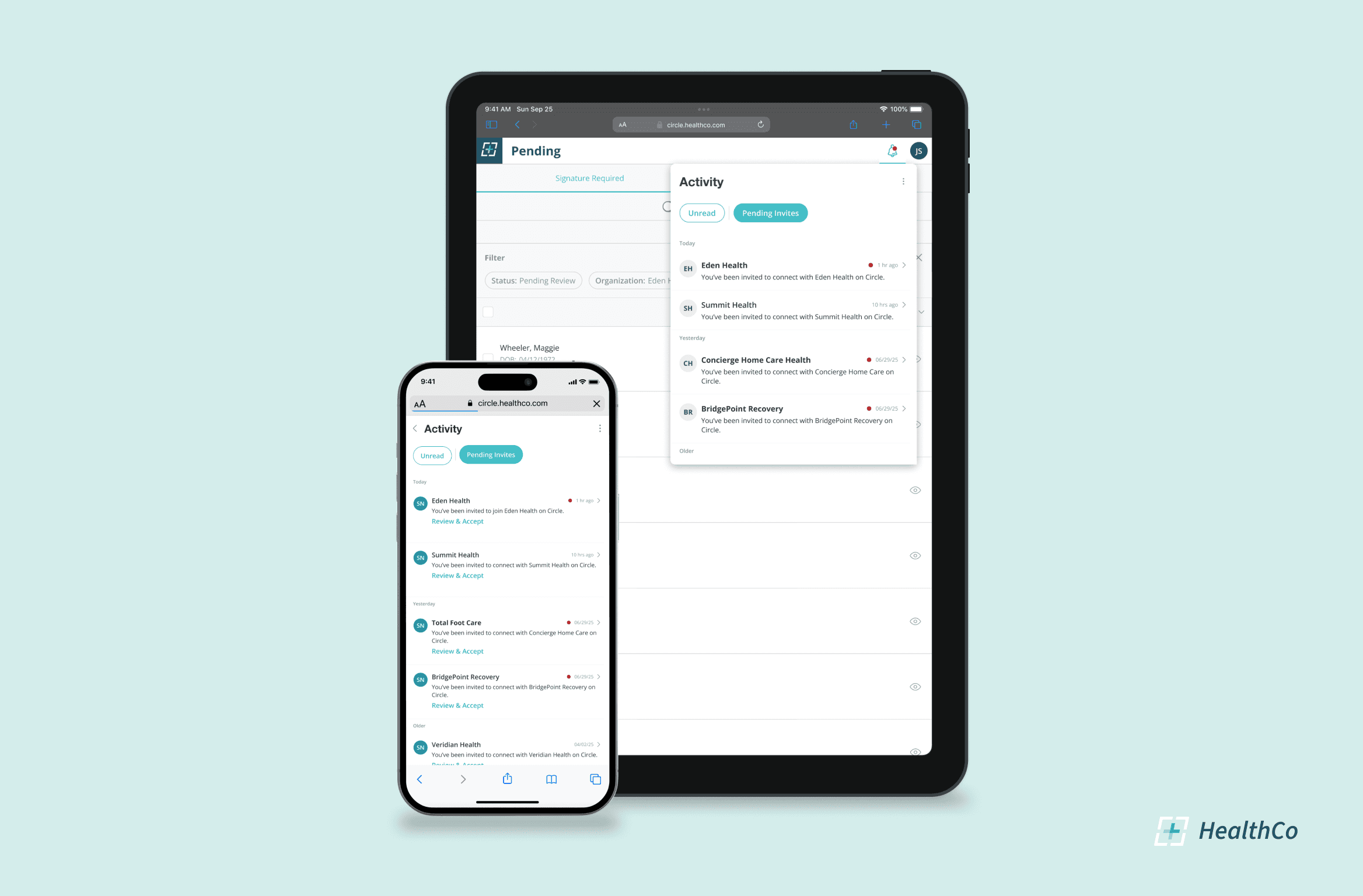
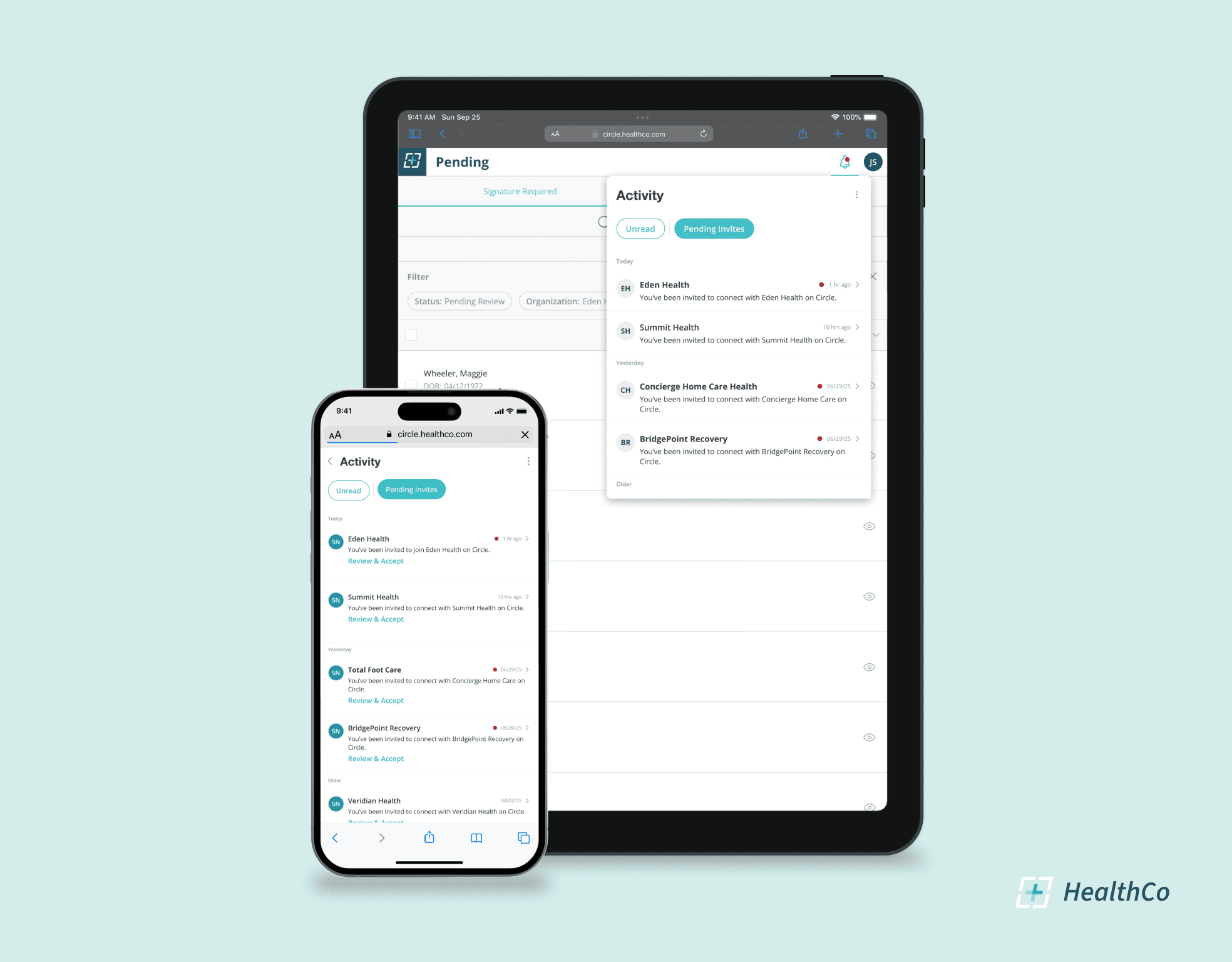
Providers were previously accepting invites directly from their email, making it difficult to track pending or accepted requests. During this process, we realized that the existing Notifications feature didn’t display or support any actions on invites, even though it was a natural place for users to manage them.
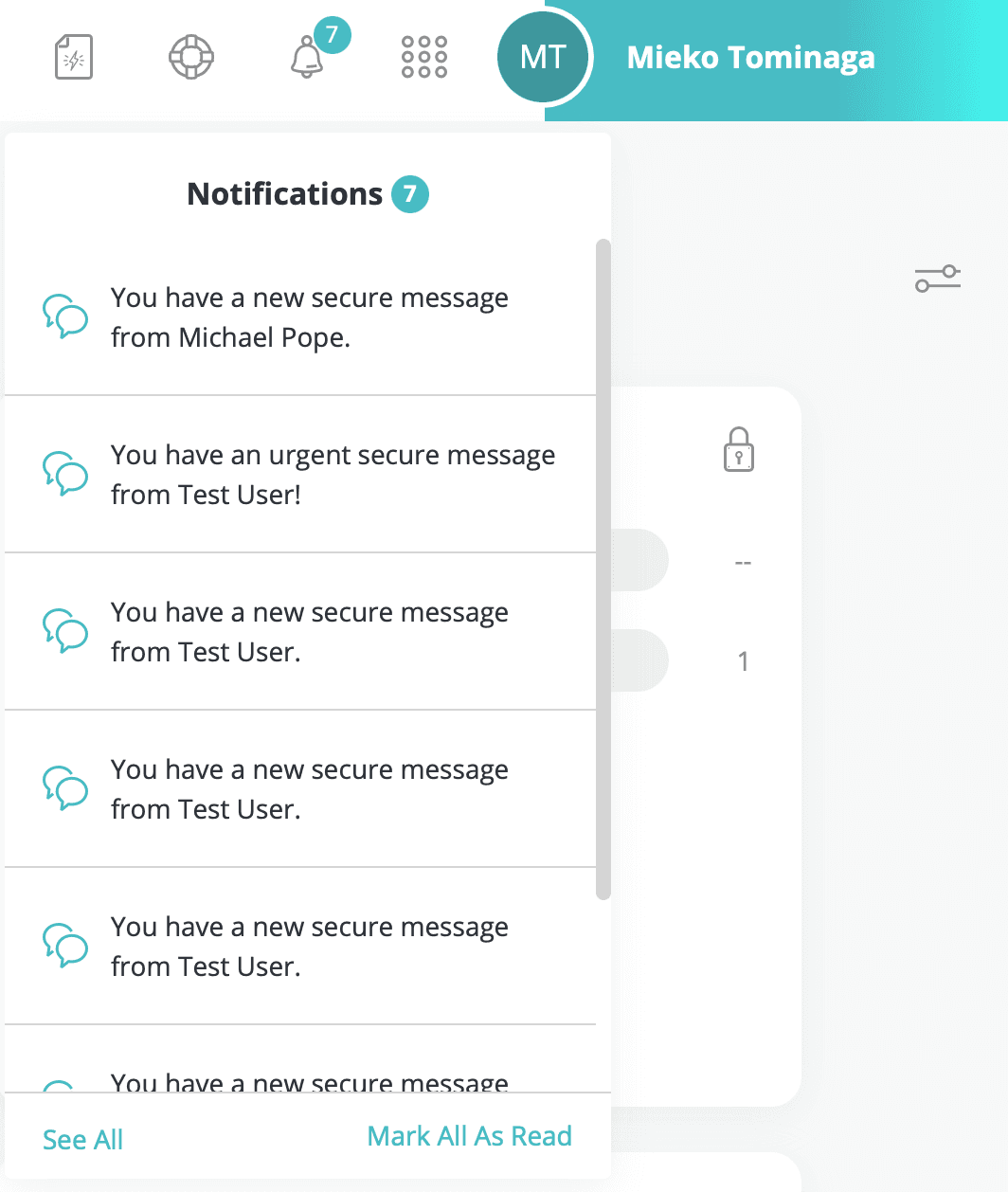
The result was the Activity Center, an evolved, more interactive version of Notifications that hosted all activities, including invites. When designing this dynamic component, we focused on creating a responsive, scalable interface that could adapt across breakpoints and support multiple workflows.
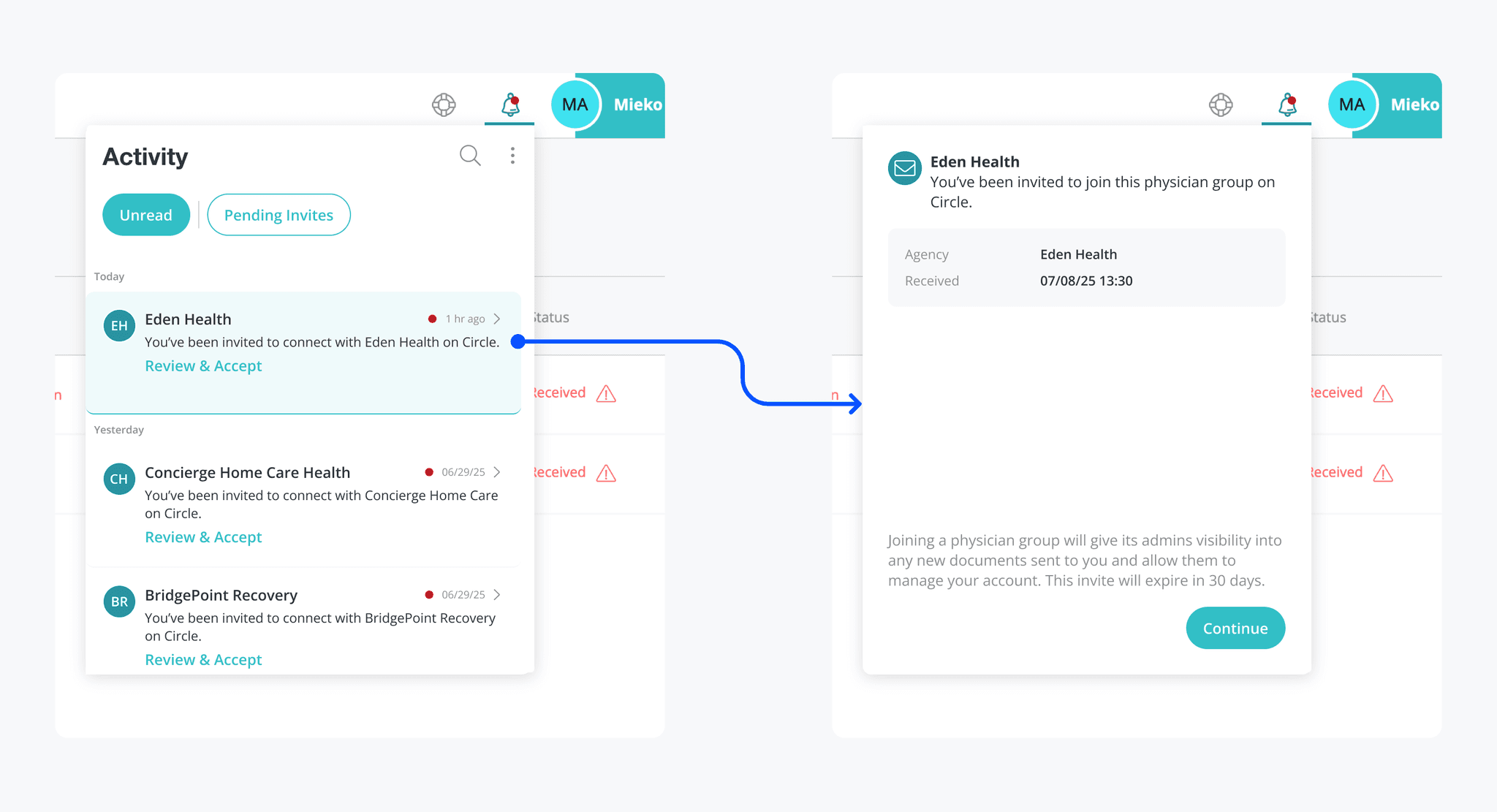
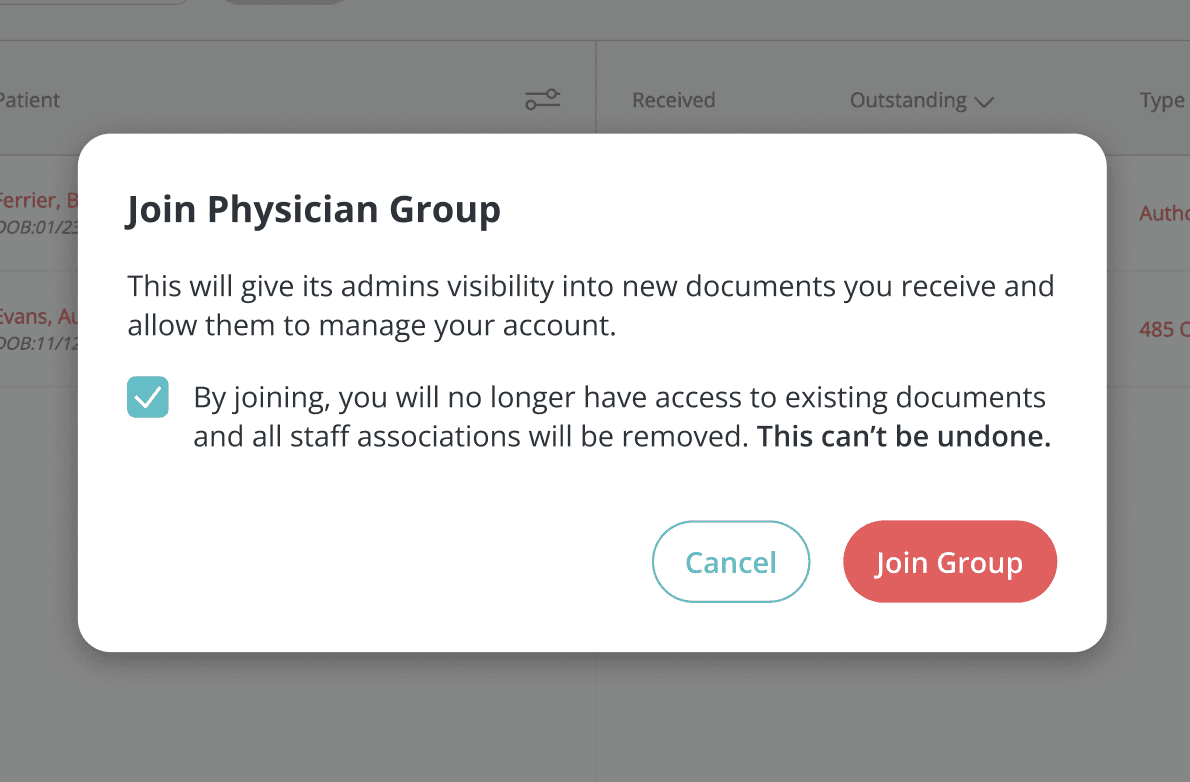
Once the provider chooses to accept an invite, the flow guides them through a clear confirmation step, ensuring they understand the implications of migration before proceeding.
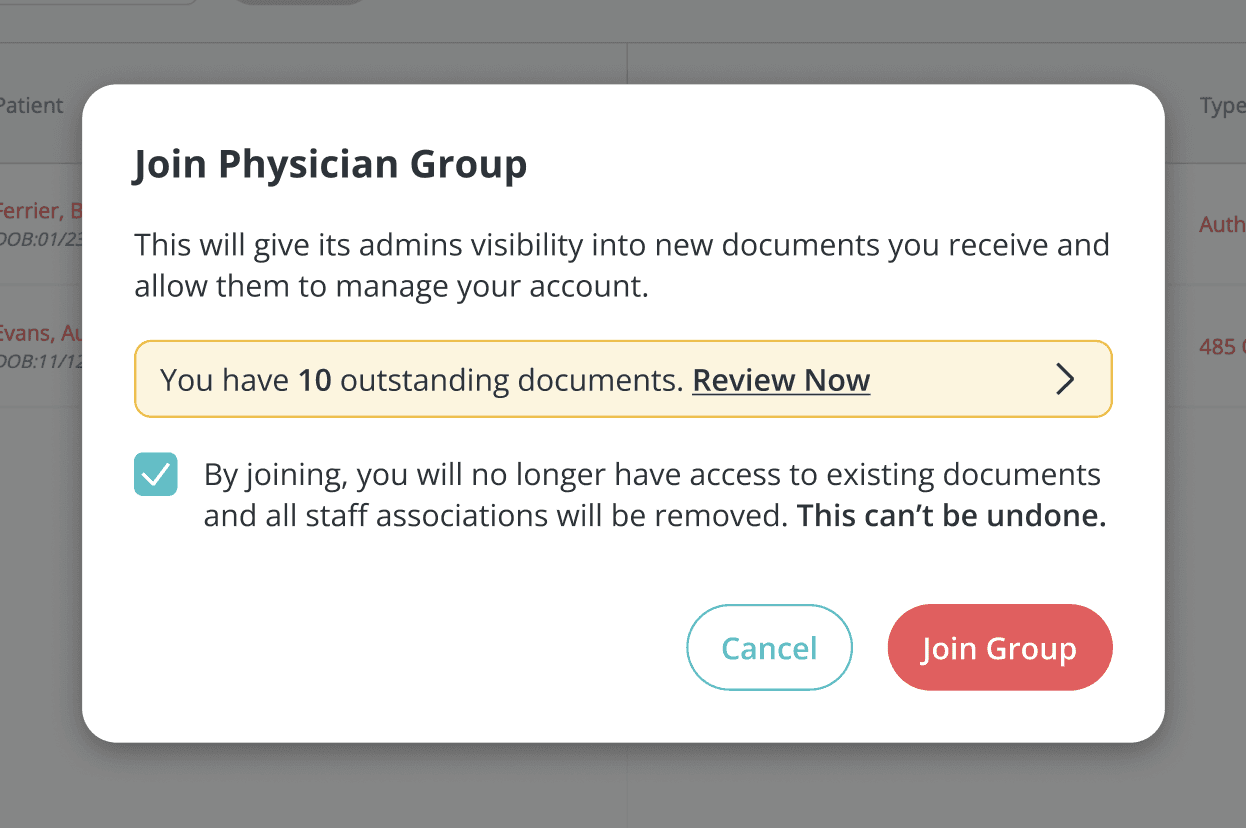
At this stage, the flow branches into two paths:
a. If no pending documents exist: the provider can confirm and complete the migration.
b. If pending documents exist: an actionable banner is displayed, directing them to take care of those items first.
After the confirmation step, the provider is automatically logged out and back in under their newly migrated account, seamlessly completing the transition to their new workspace.
Each page layout was designed to feel cohesive across devices, preserving hierarchy and accessibility even on small screens.
Closing Thoughts
Challenges
Understanding the logic behind provider invites proved more complex than expected. Clarifying how these backend conditions affected the user flow helped ensure the UI surfaced only relevant actions and messages for a clear and simple user experience.
What I Learned
I enjoyed learning more about how our data is structured and how the validation logic works. This project reinforced the importance of asking questions early and understanding both possibilities and constraints before diving into design.
By focusing on scalable design, we developed a reusable component for future invite and onboarding workflows that both streamline processes and enhance the user experience.
Up Next
Continue monitoring invite activity and conversion data post-launch to address emerging pain points.
Notify admins when a provider accepts or lets an invite expire, and suggest resending if needed.